Browse Resources
Instructional Material -- Demonstration
Resources |
|---|
 This video, published by Erie Community College, features an experiment that involves placing a marshmallow in the vacuum chamber of a Rough Vacuum System Trainer (RVET) then reducing the pressure. Elena Brewer, physics professor at Erie Community College, provides step-by-step instructions for...
 This video, published by Erie Community College (ECC), focuses on an experiment that involves spraying shaving cream in a beaker and placing it in the the vacuum chamber of a Rough Vacuum System Trainer (RVET) and then reducing the pressure. Elena Brewer, physics professor at ECC, provides...
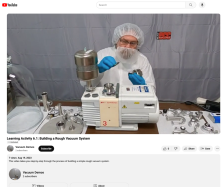 In this video, published by Erie Community Colege, learners are guided step-by-step through the processes of building a rough vacuum system. The presenter names each part and discusses its installation throughout the demonstration.
The video corresponds with lessons in a student lab manual and...
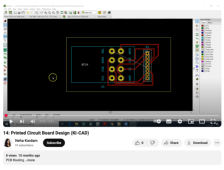 This video was created by Neha Kardam and is part of a series of lectures on printed circuit board (PCB) design using Ki-CAD software. This lecture covers the fundamentals of routing connections between pins. Kardam demonstrates how to create edge cuts using the correct layer and explains the...
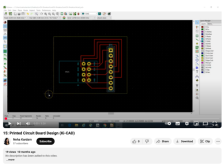 This video was created by Neha Kardam and is part of a series of lectures on printed circuit board (PCB) design using Ki-CAD software. This video demonstrates the process of adding text labels and a version number to a PCB design. Kardam first runs a design rule check (DRC) to ensure there are no...
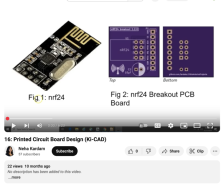 This video was created by Neha Kardam and is part of a series of lectures on printed circuit board (PCB) design using Ki-CAD software. The video shows steps for adding a 10-microfarad polarized capacitor to a PCB schematic and layout. Kardam places the capacitor in the schematic editor, selects a...
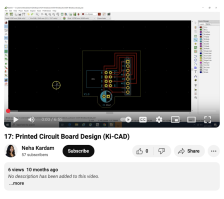 This video was created by Neha Kardam and is part of a series of lectures on printed circuit board (PCB) design using Ki-CAD software. During this lecture, Kardam demonstrates how "... to improve the electrical characteristics of the PCB by increasing the width of the ground and VVC tracks." The...
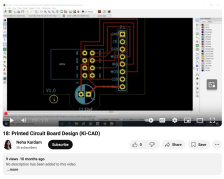 This video was created by Neha Kardam and is part of a series of lectures on printed circuit board (PCB) design using Ki-CAD software. During this lecture, Kardam demonstrates how to use Skycat's built-in track with calculator to calculate the minimum track width for a PCB.
This video runs 3:33...
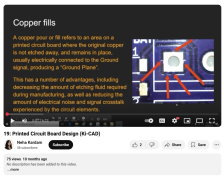 This video was created by Neha Kardam and is part of a series of lectures on printed circuit board (PCB) design using Ki-CAD software. During this lecture, Kardam provides an overview of copper fills and demonstrates how to add them to a schematic design. The copper zone properties are modified and...
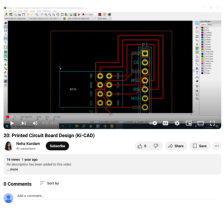 This video was created by Neha Kardam and is part of a series of lectures on printed circuit board (PCB) design using Ki-CAD software. During this lecture, Kardam demonstrates how to add a name and other text to a PCB design by selecting the front and bottom screens, adjusting text size, and...
|
| ← PreviousNext → |